
Introduction
Struggling to manage clients, projects, and payments? Read this Agency Handy review to simplify your workflow and boost productivity.
Many freelancers, agencies, and small teams use separate tools for client management, task tracking, invoicing, and communication. Over time, switching between these tools slows down work and creates unnecessary stress.
Agency Handy solves this problem by bringing everything into one platform.
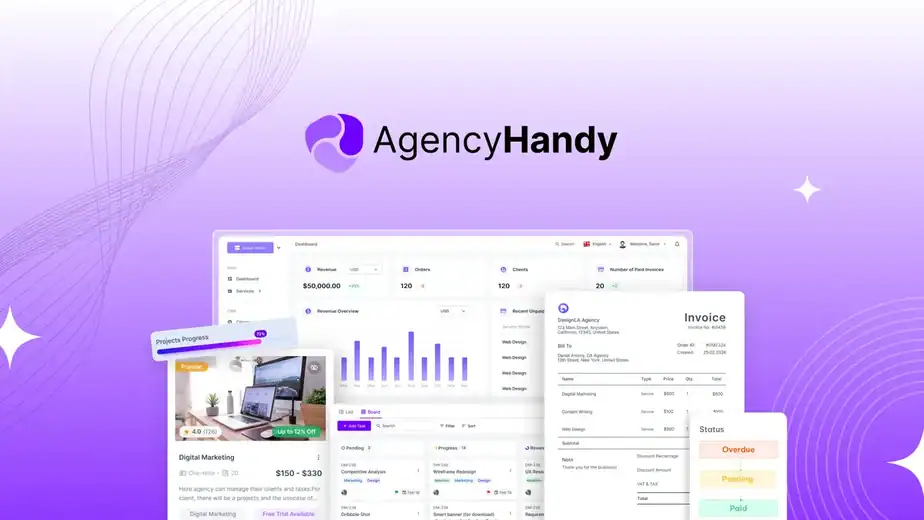
It is an all-in-one agency management tool that helps you manage clients, projects, tasks, and payments from a single dashboard. It also includes automation features, white-labeling, and service selling options to make your business look more professional.
With Agency Handy, you can:
• manage clients and give them portal access
• track projects and tasks easily
• create invoices and handle payments
• sell services with a service catalogue
• automate recurring tasks and workflows
👉 If you want to explore the platform, you can check the latest lifetime deal here:
https://link.katta.co/agencyhandy
In this detailed agency handy review, we will explore its features, pricing, pros and cons, real use cases, and alternatives to help you decide whether this tool is right for your business.

Table of Contents
What is Agency Handy?
Agency Handy is an all-in-one platform that helps freelancers and agencies manage their business in one place.
In this agenthandy review, you can understand how it replaces multiple tools and simplifies your workflow.
Instead of using different tools for:
- client management
- task tracking
- invoicing
- communication
Agency Handy brings everything into one dashboard.
With this tool, you can:
• manage clients easily
• track projects and tasks
• create invoices and accept payments
• sell services using a service catalogue
• automate recurring work
It also offers white-label features, so you can show everything under your own brand.
In simple words, Agency Handy helps you run your entire service business smoothly from one place.
Why Businesses Need an Agency Management Tool
Many businesses use multiple tools for daily work.
For example:
- one tool for clients
- one for projects
- one for payments
This creates problems like confusion and wasted time.
Common issues include:
• scattered client data
• difficulty tracking work
• missed invoices
• poor team communication
• too many tools to handle
A tool like Agency Handy solves this by:
• keeping everything in one place
• improving workflow
• saving time
• reducing costs
Key Features of Agency Handy
Agency Handy comes with several powerful features that help freelancers and agencies manage their business smoothly in one place.
Below are some of the key features that make Agency Handy a useful tool.
Service Catalogue with Direct Checkout
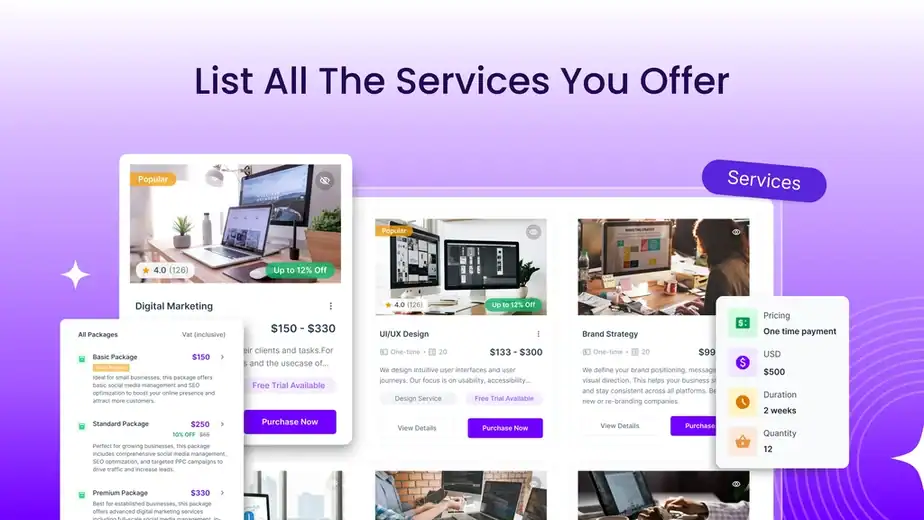
Agency Handy allows you to create a list of your services with pricing and packages. Instead of sending proposals manually, you can simply share a link with your clients.
With this feature, clients can:
- view your services
- select packages
- make payments directly
This makes the entire sales process faster and more professional.
Automated Recurring Tasks
Managing monthly services can be time-consuming, but Agency Handy solves this with automation.
You can set up recurring tasks once, and the system will automatically create them every month. This means you don’t have to remember or manually assign the same work again and again.
This feature is especially useful for agencies handling retainer clients.
Client Management
Agency Handy provides a centralized system to manage all your clients.
You can store client details, track communication, and give them access to their own portal. This keeps everything well-organized and reduces confusion.
Instead of searching through emails or different tools, everything is available in one place.
Project and Task Management
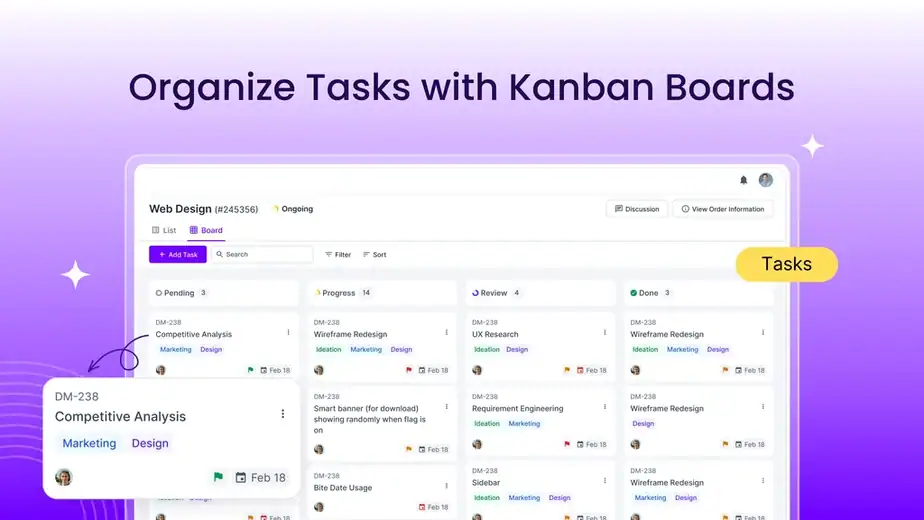
The platform includes visual task boards that help you manage projects efficiently.
You can:
- create tasks
- assign them to team members
- set deadlines
- track progress
This ensures that your team stays on track and completes work on time.
Invoicing and Payments
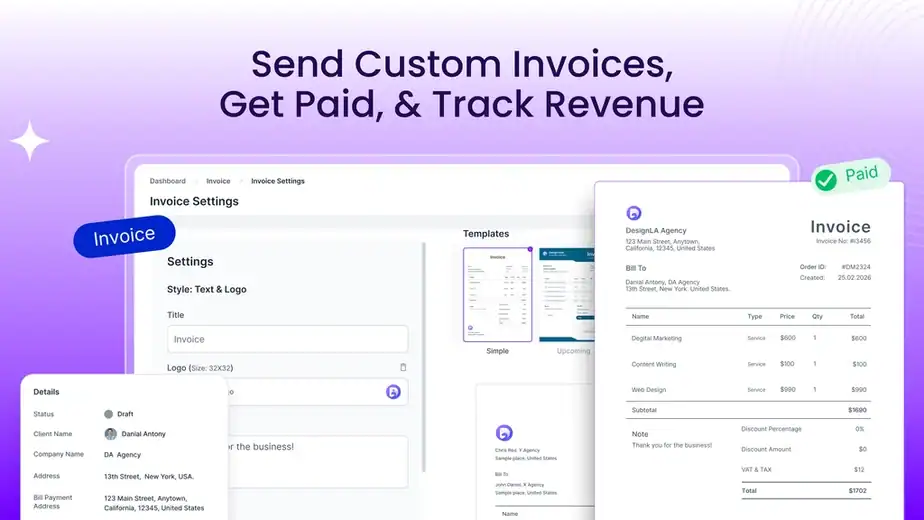
Agency Handy also includes built-in invoicing features, so you don’t need a separate billing tool.
You can create professional invoices, manage subscriptions, and accept payments from clients easily. It also supports multiple currencies, which is helpful if you work with international clients.
This makes financial management simple and efficient.
White Label Branding
One of the standout features is white-label customization.
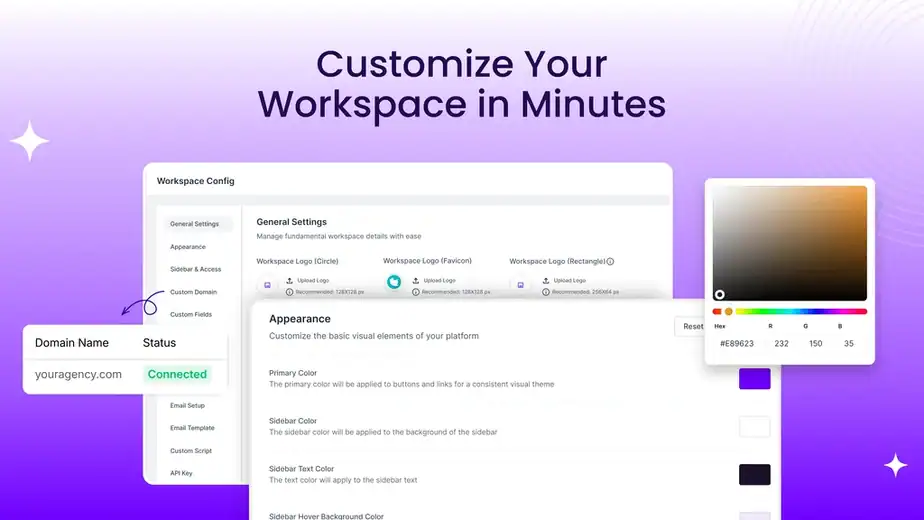
You can use your own domain, logo, and brand colors so that clients see your brand instead of Agency Handy. This creates a more professional experience and builds trust with clients.
How Agency Handy Works
Using Agency Handy is simple. It is designed to help you manage your entire service business from one place without switching between multiple tools.
Below is a step-by-step overview of how Agency Handy works.
1. Set Up Your Workspace
First, you create your workspace where all your business activities will be managed.
Inside this workspace, you can organize:
- clients
- services
- projects
- payments
This becomes your main dashboard to run your business smoothly.
2. Create Your Service Catalogue
Next, you can create a list of services with pricing and packages.
You can:
- add service details
- set pricing
- create subscription plans
Once done, you can share this as a link with your clients so they can directly purchase your services.
3. Onboard Clients and Collect Details
When a client buys your service, they are automatically added to your system.
You can collect information using:
- intake forms
- order forms
This helps you gather all the required details before starting the work.
4. Manage Projects and Tasks
After onboarding, you can manage projects using task boards.
You can:
- create tasks
- assign them to team members
- set deadlines
- track progress
This helps you stay organized and complete work on time.
5. Handle Payments and Deliver Work
Agency Handy also helps you manage payments and delivery.
You can:
- create invoices
- track payments
- upload completed work
- get client approvals
Everything happens inside one platform, making your workflow simple and professional.
Benefits of Using Agency Handy
Agency Handy helps freelancers and agencies manage their work more efficiently by bringing everything into one platform.
Below are the main benefits of using Agency Handy.
All-in-One Business Management
One of the biggest benefits is that you don’t need multiple tools anymore.
You can manage:
- clients
- projects
- invoices
- payments
All in one place. This reduces confusion and saves time.
Saves Time with Automation
Agency Handy automates repetitive tasks like recurring services and billing.
Instead of doing the same work manually every month, the system handles it for you. This allows you to focus more on delivering quality work.
Professional Client Experience
With features like client portals and white-label branding, your business looks more professional.
Clients can:
- view their projects
- give feedback
- make payments
All in one clean interface.
Easy Service Selling
The service catalogue feature makes selling your services very simple.
Instead of long discussions, clients can directly choose a package and pay. This speeds up your sales process.
Better Team Collaboration
If you have a team, everyone can work together easily.
Tasks, updates, and communication are all available in one place, which improves productivity.
Pros and Cons of Agency Handy
Every tool has its strengths and limitations. Agency Handy offers powerful features to manage service businesses, but there are a few things to consider before using it.
Pros ✅
✅ All-in-one platform for managing clients, projects, and payments
✅ Service catalogue makes selling services very easy
✅ Recurring tasks automation saves a lot of time
✅ White-label features make your business look professional
✅ Built-in invoicing and subscription management
✅ Supports multiple workspaces for different brands
Cons ❌
❌ Workflow is service-based, not flexible for custom projects
❌ Some bugs and stability issues reported
❌ Limited integrations compared to bigger tools
❌ Client portal design is not very advanced
❌ Email automation features are still limited
Agency Handy Pricing
Agency Handy offers different pricing tiers based on features, storage, and usage.
Currently, it is available as a lifetime deal, so you only pay once and use it without monthly fees.
Here are the available license tiers:
- Tier 1 – Basic features with limited storage and users
- Tier 2 – More storage and team access
- Tier 3 – Advanced features with multiple workspaces
- Tier 4 – Maximum storage and full scalability

👉 You can check Complete latest deal here:
https://link.katta.co/agencyhandy
Who Should Use Agency Handy?
Agency Handy is designed for people who manage services, clients, and projects regularly.
It is especially useful for:
- Freelancers who want to look more professional
- Digital marketing agencies managing multiple clients
- Web design and development teams
- Content writing and SEO agencies
- Small businesses offering monthly services
If you are tired of using multiple tools for tasks, payments, and communication, this tool can simplify your workflow.
It is also a great choice if you want everything in one place at a low cost.
Real Use Cases of Agency Handy
Agency Handy can be used in many real business situations.
Here are some common use cases:
Managing Monthly Clients
If you offer services like SEO or social media management, you can automate recurring tasks and billing.
This helps you save time and stay organized.
Selling Service Packages
You can create service packages and share them with clients.
Instead of long discussions, clients can directly choose and pay.
Client Communication and Feedback
Clients can log in, check progress, and give feedback on tasks or files.
This keeps communication clear and professional.
Project Management
You can manage tasks, assign work to your team, and track progress in one place.
This helps ensure work is completed on time.
Running Multiple Brands
With multiple workspaces, you can manage different businesses or clients separately.
Agency Handy Integrations
Agency Handy supports integrations that help you connect your workflow with other tools.
Some of the key integrations include:
- Stripe (for payments)
- PayPal
- Wise
- Slack (for team communication)
- Google Drive
- OneDrive
- Dropbox
- Webhooks (for custom connections)
These integrations help you manage files, payments, and communication easily.
Agency Handy Alternatives
There are several tools available that offer similar features to Agency Handy.
Some popular alternatives include:
- HoneyBook
- Service Provider Pro (SPP)
- Moxie
- ManyRequests
- Kitchen.co
- Zendo
Each tool has its own strengths, but most of them require monthly subscriptions.
Agency Handy stands out because of its lifetime deal and all-in-one features.
Agency Handy vs Other Tools
Agency Handy competes with many service management tools in the market.
Compared to other tools, it offers:
- all-in-one functionality instead of multiple tools
- lifetime pricing instead of monthly payments
- built-in service selling and checkout
However, some competitors may offer:
- better stability
- more advanced features
- stronger integrations
So, the choice depends on your needs and budget.
Agency Handy vs Traditional Tools
Traditional workflows usually involve using multiple tools for different tasks.
For example:
- one tool for project management
- another for invoicing
- another for client communication
This can become confusing and expensive over time.
Agency Handy solves this by combining everything into one platform.
Benefits compared to traditional tools:
- less tool switching
- lower overall cost
- better organization
- smoother workflow
This makes it a good choice for small teams and freelancers.
Is Agency Handy Worth It?
Agency Handy offers strong value, especially for its price.
If you are running a service-based business and want to simplify your workflow, it is definitely worth considering.
You get:
- client management
- project tracking
- invoicing
- automation
All in one platform.
However, keep in mind:
- it is still improving
- you may face small bugs
- some features are limited
If you are okay with these, the value you get is very high.
👉 You can check the deal here:
https://link.katta.co/agencyhandy
What Users Are Saying About Agency Handy
Most users like Agency Handy for its all-in-one approach and affordability.
Common positive feedback includes:
- easy to manage clients and projects
- saves time by reducing tool switching
- good value for money
- helpful automation features
At the same time, some users mention:
- occasional bugs
- limited integrations
- client portal needs improvement
Overall, feedback is positive, especially for small businesses and freelancers.